
The Change Approver feature allows an approver to reassign and transfer transactions to another approver within the organization. The button for this feature is available directly in the overview of incoming transactions.
Workflow
- Log in to Acubiz.
- Go to To Approve.
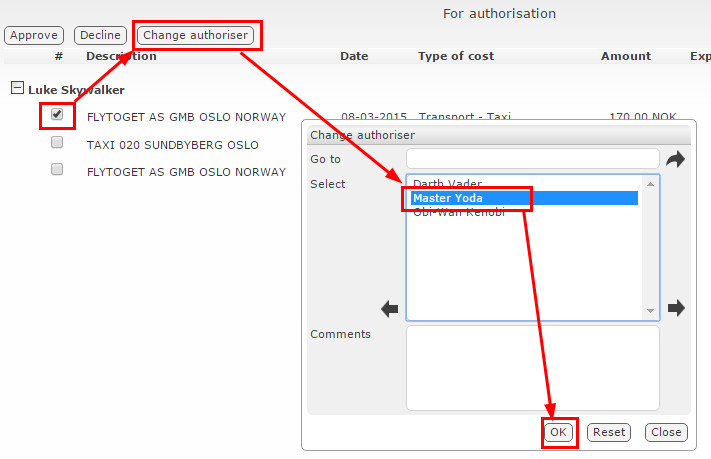
- Select the transactions to be transferred.
- Click Change Approver.
- Choose the desired recipient from the list of approvers.
- Confirm by clicking OK.
The transaction will then be immediately transferred to the new approver, who will automatically receive an email notification (if this feature is enabled in the system).
Note: This feature requires a separate purchase/module in Acubiz.
Comments
0 comments
Please sign in to leave a comment.