
As an approver in Acubiz, you can change your default login page, which is set to the unprocessed page. This can be customized.
If you primarily function as an approver, it's beneficial to set your start page to the approver page.

Access My settings (gear icon) in the upper right menu.
In the pop-up, select your preferred start page for login.
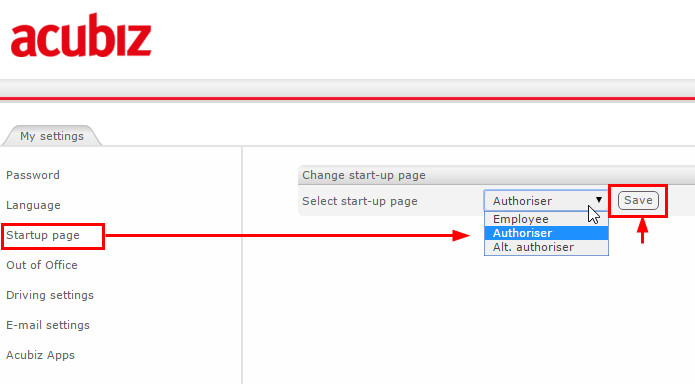
The saved home page will be your start page for future logins.
Comments
0 comments
Please sign in to leave a comment.