
ℹ️ Acubiz recommends using one of the following features through the Acubiz app:
- Use a PDF file as a receipt by sharing it to Acubiz
- Convert email content to a PDF receipt and share to Acubiz (iPhone only)
Acubiz Mail-In is a simple feature for digitizing receipts and attachments received by email. The feature ensures that your attached files are transferred directly to Acubiz, even if you use a private email address that is not registered on your Acubiz profile.
How to do it:
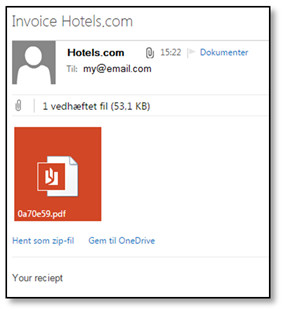
Receive the receipt You receive an email with your attachment/receipt as an attached file. Select Forward on the email.
-
Send to Acubiz
Recipient: Enter your company’s unique Acubiz Mail-In email address in the To field.
Subject field: Since the system cannot automatically recognize your private email address, you must enter your initials in the subject field. This ensures that the attachment is routed correctly to your personal receipt bank in Acubiz.
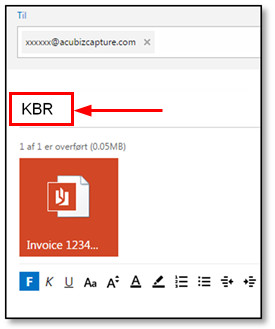
Processing in Acubiz The receipt is now transferred to your receipt bank. From here, you can manually link it to the correct transaction and complete your settlement, just as you usually do.
Comments
0 comments
Please sign in to leave a comment.