
If you use your personal car for business-related purposes, you can reclaim your mileage from government rates, tax-free.
Depending on the country, rules and amounts vary.
In Acubiz, there are 3 options to create a Mileage in your own car:
- ℹ️ Create Mileage using the Acubiz app (Recommended) -->
- Create a manual mileage, directly from unprocessed (can be disabled)
- Create a manual mileage, directly from an Expense Report
Create a Mileage manually:
Whether you are in your unprocessed area or within an Expense Report, the process is the same to create a manual mileage.
- Click Create
- Choose Driving
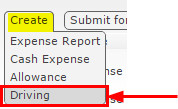
This will create a new mileage document, which must be completed with all relevant information:
- The car's registration number
- From: Address, postcode, and city name
- To: Address, postcode, and city name
- KM: The correct mileage in kilometers.
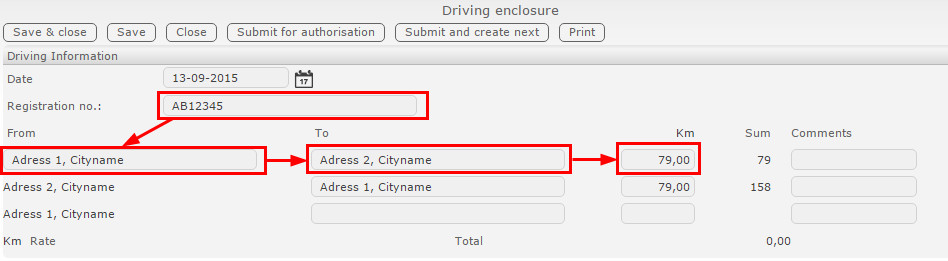
On the same drive, a driving enclosure can be created with six driving lines, each with its own distance. This means that you may be driving the same day, with up to 6 different destinations.
Comments
0 comments
Please sign in to leave a comment.