
After you create an Expense Report, you have the option to add enclosures for any related costs.
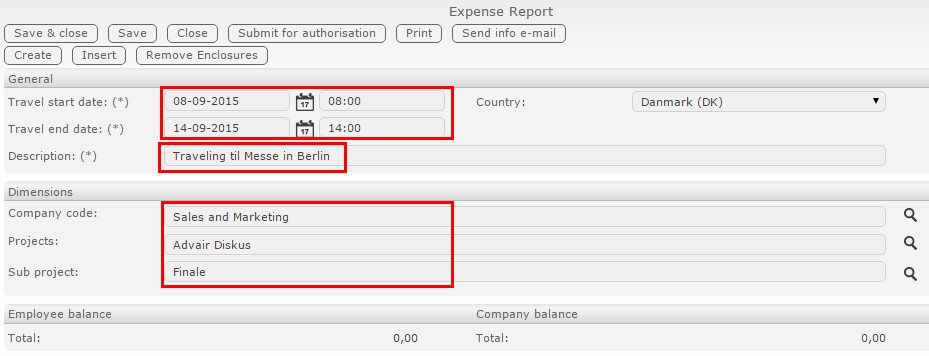
When making an expense report, keep these points in mind:
- Travel start - date and time
- Travel end - date and time
- Purpose or description of travel expenses
- Dimensions (if enabled)
After filling everything out, you can add enclosures to the Expense Report.

Clicking Insert will show a list of enclosures from your unprocessed overview.
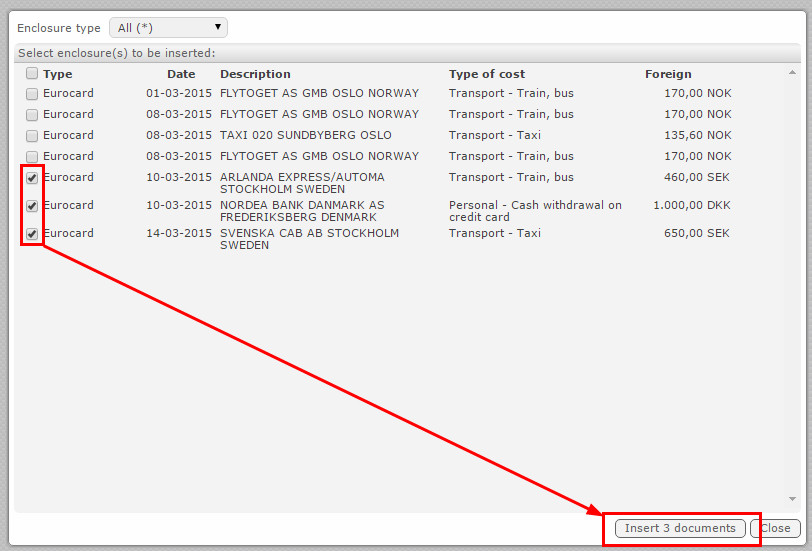
- Locate the enclosures you want to add to this Expense Report
- Click Insert X documents
The enclosures will then be added to the current Expense Report and shown in the enclosures overview:

Comments
0 comments
Please sign in to leave a comment.