
There are two ways to add expenses to an existing Expense Report:
- Add expenses directly within the Expense Report
- Select expenses and add them to an Expense Report
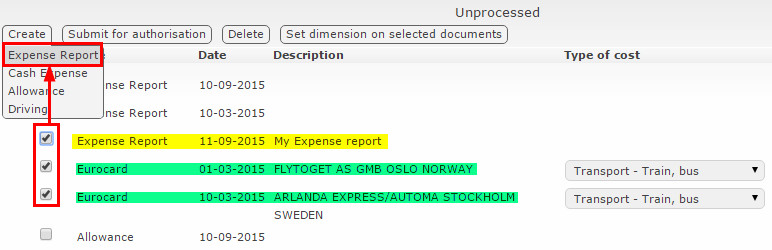
Here’s how to do it:
- Pick the Expense Report where you want to add new expenses.
- Select the Expenses you want to include in the report.
- Click Create, then choose Expense Report.
This will add the chosen expenses to the report.
You can also add unprocessed expenses directly from the Expense Report.
- Click Insert.
- Select the expenses you want to add to the report.
- Click Insert X documents.

Comments
0 comments
Please sign in to leave a comment.