
In Acubiz, all countries exist, but not all are activated for selection in country lists.
Acubiz has active and inactive country lists, with changes depending on whether your solution uses travel allowance (per diem).
Content:
When Allowance/Per Diem is Not Used
Go to ADMINISTRATOR -> Company settings and select Countries.
When Allowance/Per Diem is Used
Go to ADMINISTRATOR -> Company Settings and select Allowance rates. Country selection relates to allowance rates in Acubiz.
Activate a Country
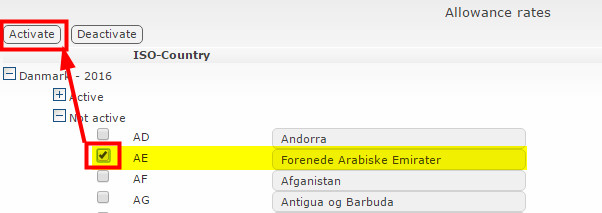
To activate a country, find it in the inactive list and select it.
Deactivate a Country
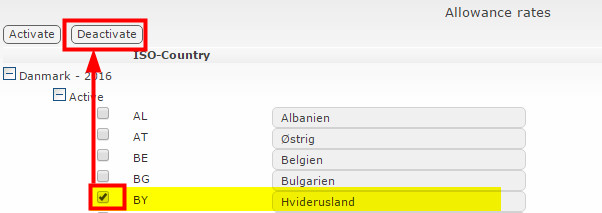
To deactivate a country, find it in the active list and select it.
- All country selection lists have been updated, including in the Acubiz app.
Comments
0 comments
Please sign in to leave a comment.