
All countries are created in Acubiz from the start, but only selected countries are shown as active and are available to users. The system distinguishes between activation via company settings and activation via per diem rates, depending on whether your company uses travel allowances.
ℹ️ Note: All changes to the country list automatically take effect throughout the system, including in the Acubiz app.
1. Choose procedure based on your setup
The path to managing countries depends on whether you pay per diems or travel allowances:
| Scenario | Navigation in Acubiz | Note |
|---|---|---|
| Without travel allowance/per diems | ADMINISTRATOR -> Company Settings -> Countries | Direct activation/deactivation of countries. |
| With travel allowance/per diems | ADMINISTRATOR -> Company Settings -> Per Diem Rates | Country selection is directly linked to the chosen per diem rates. |
2. Activating and deactivating countries
Once you have navigated to the correct point based on the table above, manage the countries as follows:
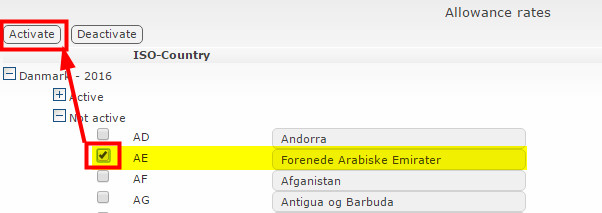
Activating a country: Find the desired country in the Inactive Countries list, select it, and move it to Active Countries.
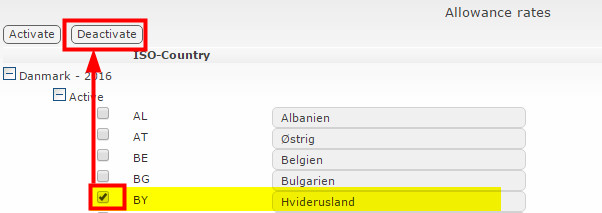
Deactivating a country: Find the country in the Active Countries list, select it, and move it to Inactive Countries.
Comments
0 comments
Please sign in to leave a comment.